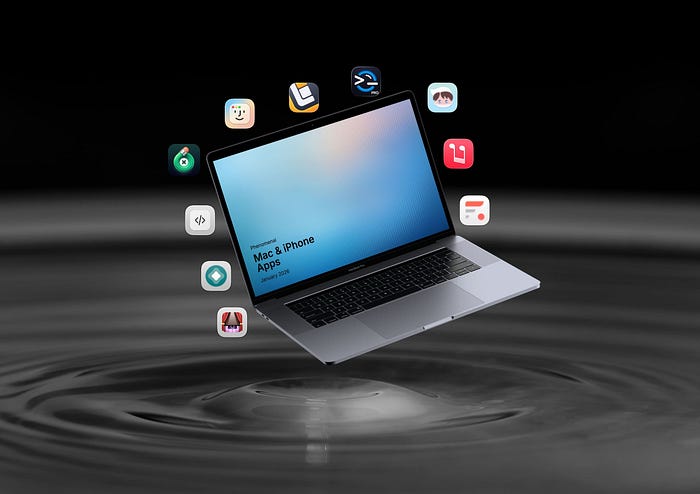


Happy New Year! I wish you all a fantastic 2026. This year, I'll begin my app article with 10 unique Mac & iPhone apps to massively upgrade your iOS & macOS experience.
In this article, I'll share apps to help you:
- 🔇 Stop opening the Music app when you press play on your keyboard.
- 📲 Install unique apps that aren't usually available on the App Store.
- ⚫ Bring the dynamic island and its amazing UX to your Mac.
- 🧹 Clean your Mac's keyboard without triggering any key presses.
- 🌟 Massively upgrade the Dock's interface and experience.
- 📝 Add reminders faster than any app on your iPhone, iPad, and Mac.
- 🎨 Retouch photos as easily as eating a piece of cake.
- 📜 Download and install custom scripts on your Safari browser.
- 💻 Manage all your servers, NAS, and network devices in one place.
- 📁 Manage your files in a modern way and forget about the Finder.
So, without further ado, let's get to it.
1. Music Decoy
Stop launching the Music app
It's a fact that macOS is not perfect. Some tiny annoyances stop this amazing operating system from becoming a phenomenal software.
One such annoyance is when you press the Play button, and instead of playing your media, it opens Apple Music.
Knowing Apple Music and how badly it's designed (and coded), I don't want it launched on my Mac.
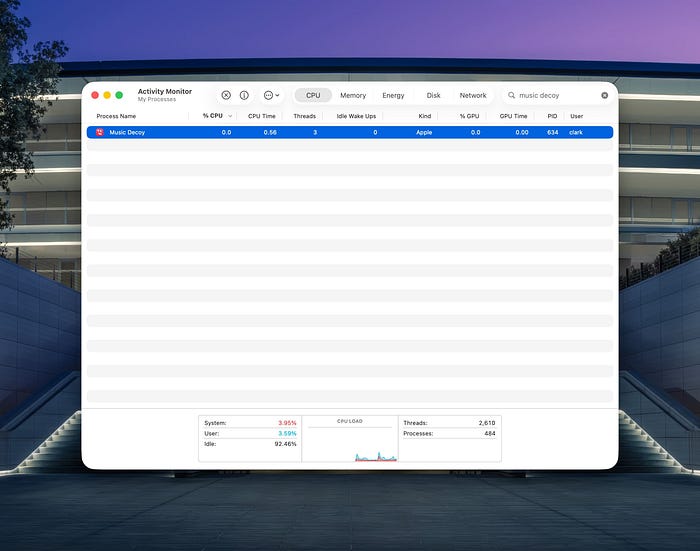
Music Decoy fixes this problem and stops the Music app from opening every time you press the play button on your keyboard.
If you're a Spotify user, you can use the following command to force your Mac to open Spotify instead of Apple Music:
defaults write com.lowtechguys.MusicDecoy mediaAppPath /Applications/Spotify.app
2. AltStore
Sideloading for Everyone
The so-called walled garden Apple draws around its users might make them feel safe, and to some extent, it does. But its nature is restrictive and limiting for many professional users.
To overcome Apple's restrictions, you can choose the difficult approach of jailbreaking your device and compromising its security. Or, you can choose a safer approach in which you use AltStore.
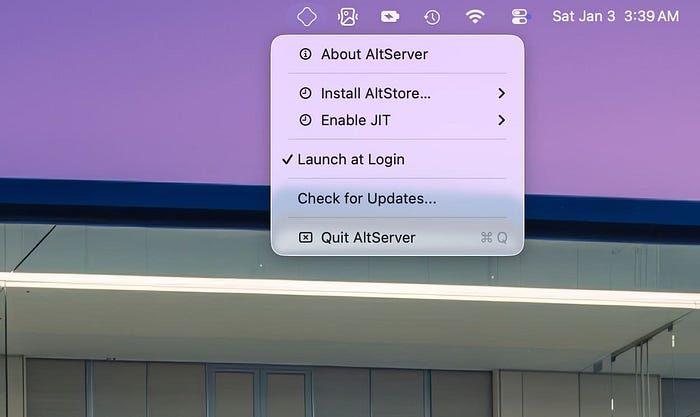
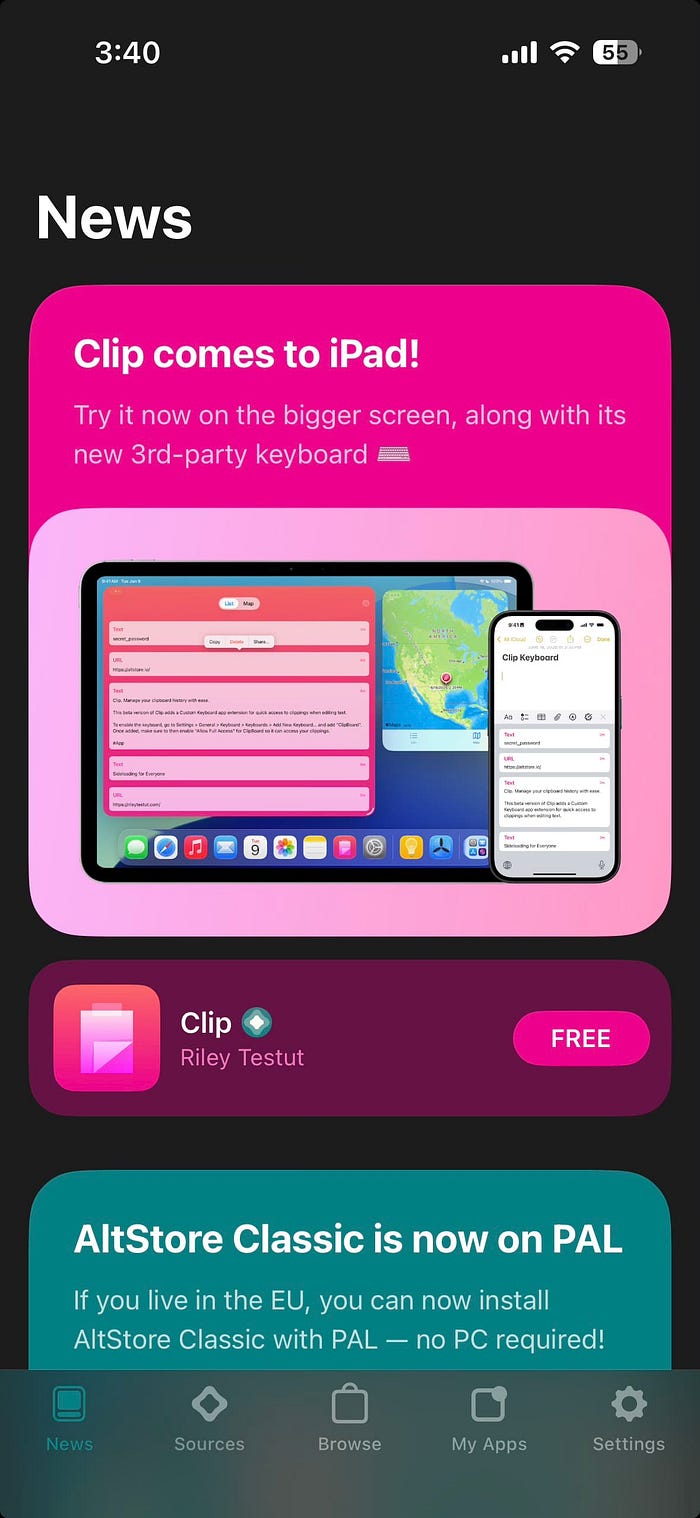
AltStore provides a safe and quick way to help you install apps outside of the App Store on your iPhone.
I've been using AltStore for over three months on my iPhone and iPad, and I wish I had known about it sooner.
Using AltStore, I enjoy an elevated app experience in which the interface serves me well. For instance, I no longer need to tolerate YouTube's dark UX.
For obvious reasons, I will not mention my installed apps, but rest assured, if you have no desire to pay for some services, AltStore provides a way, if you are curious.
3. Boring Notch
Not so boring notch
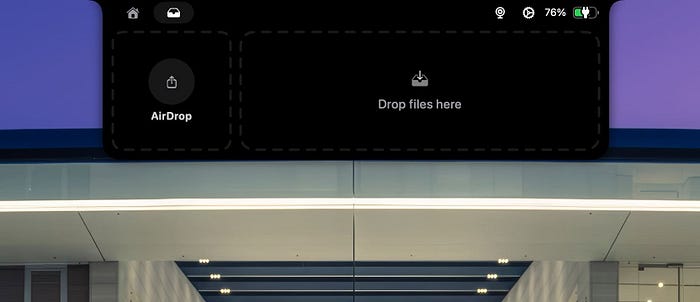
Apple missed an opportunity to bring the UX of Dynamic Island to macOS. We can't currently lose the notch, so why can't we get its design benefits from iOS?
That's what the Boring Notch brings, and it does it incredibly well.
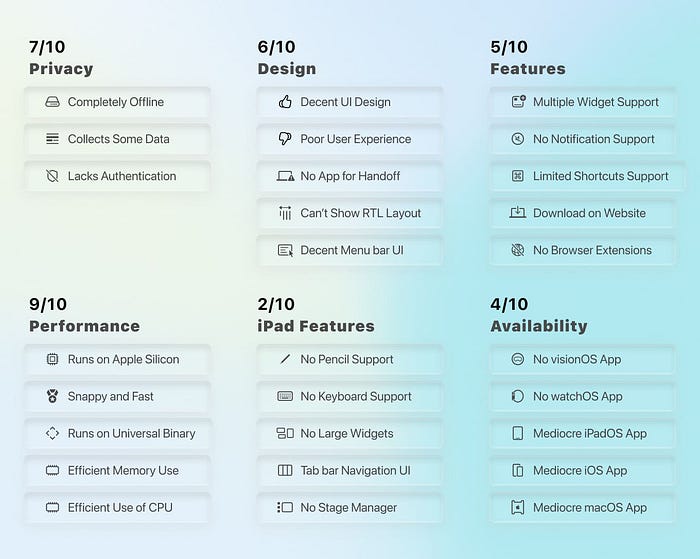
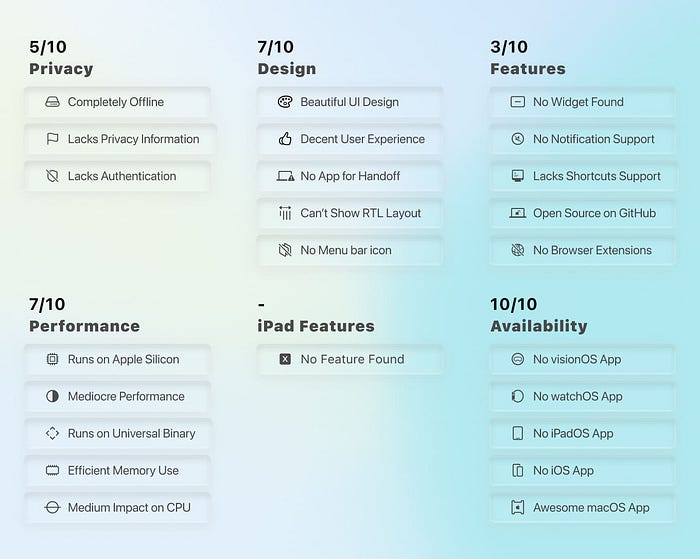
First things first, the performance. Yep, it's good. Not great, but good enough for animations to run smoothly, making the experience fluid.
Next, the UX is decent. Nothing extraordinary, but usable and straightforward for most Mac users.
Now, the features. Oh, the features! I absolutely love them. Some of these:
- Showing media playback from Spotify, Apple Music, and YouTube.
- Provide a media playback control directly beneath the current song.
- Display my calendar events with a beautiful, minimal UI.
- Replace system HUD (brightness, volume, keyboard LEDs).
- Display the current state of my MacBook's battery.
- A shelf to drag and drop files to quickly share them.
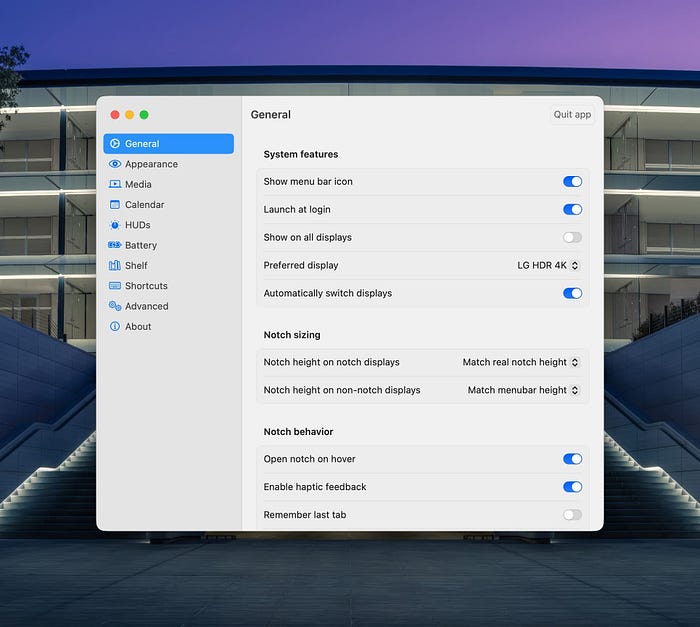
Lastly, I love this app's customizability. You can adjust the notch height, add hover delay, make it more sensitive to gestures, and much more.
Boring Notch brings a feature to macOS that Apple should have included since introducing MacBooks with the display notch.

4. CleanUpBuddy
Helps you clean your Mac's keyboard
Have you noticed the pain of cleaning your MacBook's keyboard and unintentionally pressing a lot of keys?
Even when you turn it off, with one press of a key, it turns back on, and you can't clean it properly without pressing some keys.
I found a solution, and it's an app called CleanupBuddy.
This utility is straightforward. Just open it and click the blue button called "Start Cleanup." Then, no key will register actions, and you can comfortably clean your Mac.
To stop this app and return your Mac to its normal state, press and hold both CMD keys on your keyboard until it stops the app.
I'm installing this app on all my Macs because it's straightforward, free, and useful.
5. DockDoor
Window peeking, alt-tab and other enhancements for macOS
There is so much Apple could bring to macOS, yet so many developers are bringing to macOS.
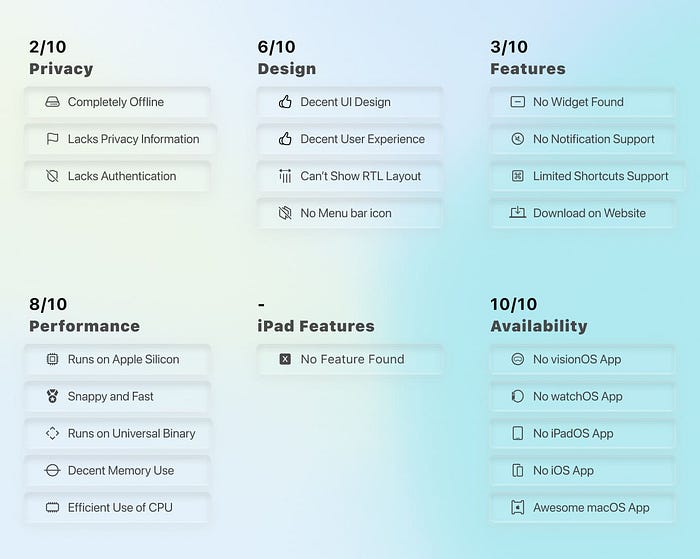
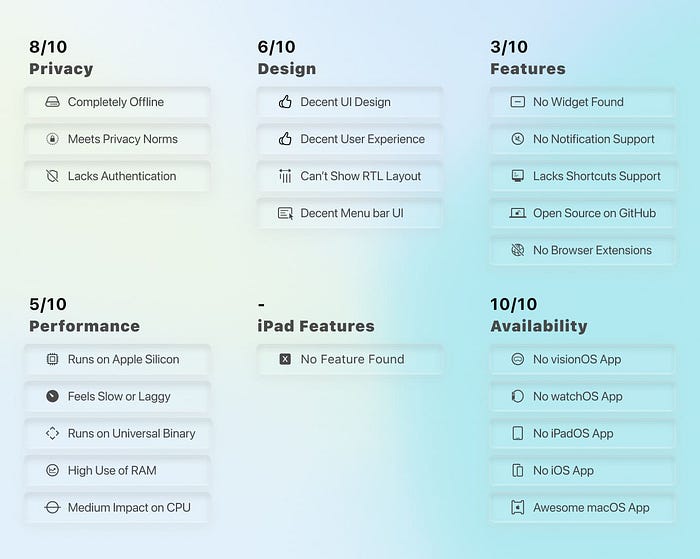
DockDoor is one of them, and it can massively improve your experience on macOS.
One of the features I miss from Windows is getting a preview when I press Alt+Tab.
DockDoor brings that feature with an elevated UI. When I press CMD + Tab, I get a large, detailed preview of my apps.
An insanely useful feature of DockDoor allows you to see a preview of an app's window when you hover your mouse cursor over the app icon on the dock.
These were a few great features DockDoor provides for macOS.
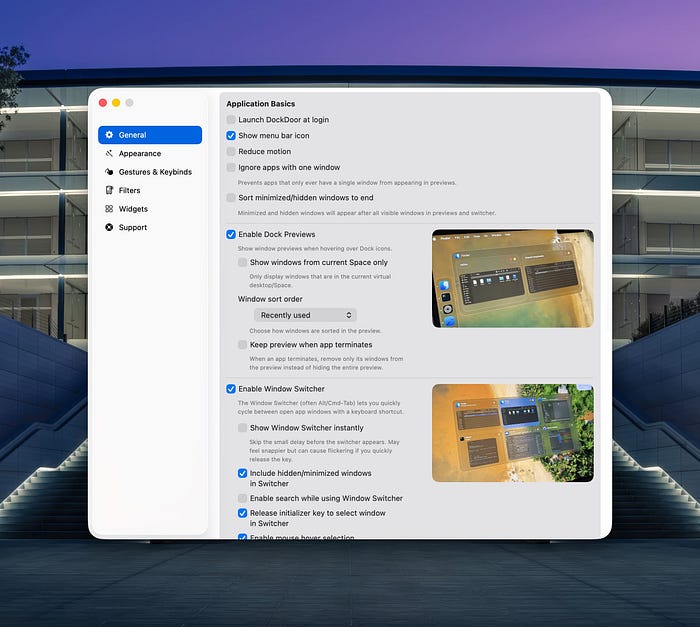
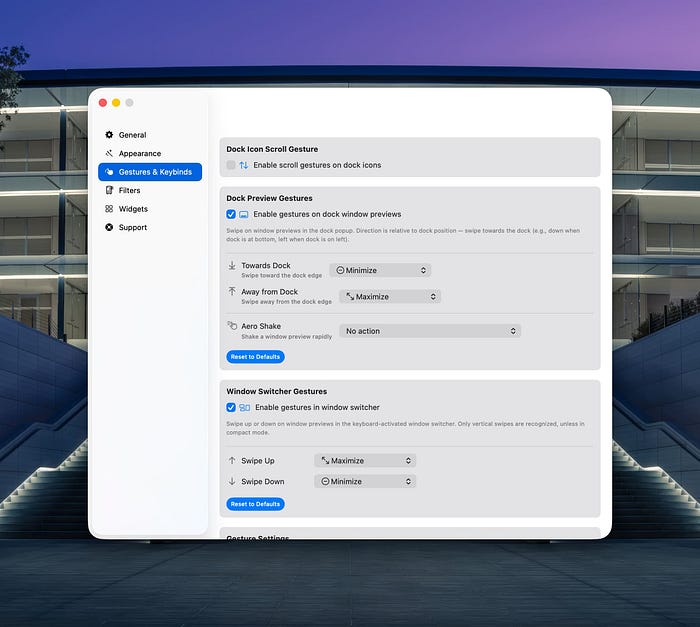
By the way, in terms of design, it supports the Apple Liquid Retina XDR interface and offers plenty of customisation options.
There is almost a toggle for every feature in DockDoor to help you adjust settings to your preferences.
If you're coming from Windows to Mac, I recommend installing DockDoor.


6. Remind Me Faster
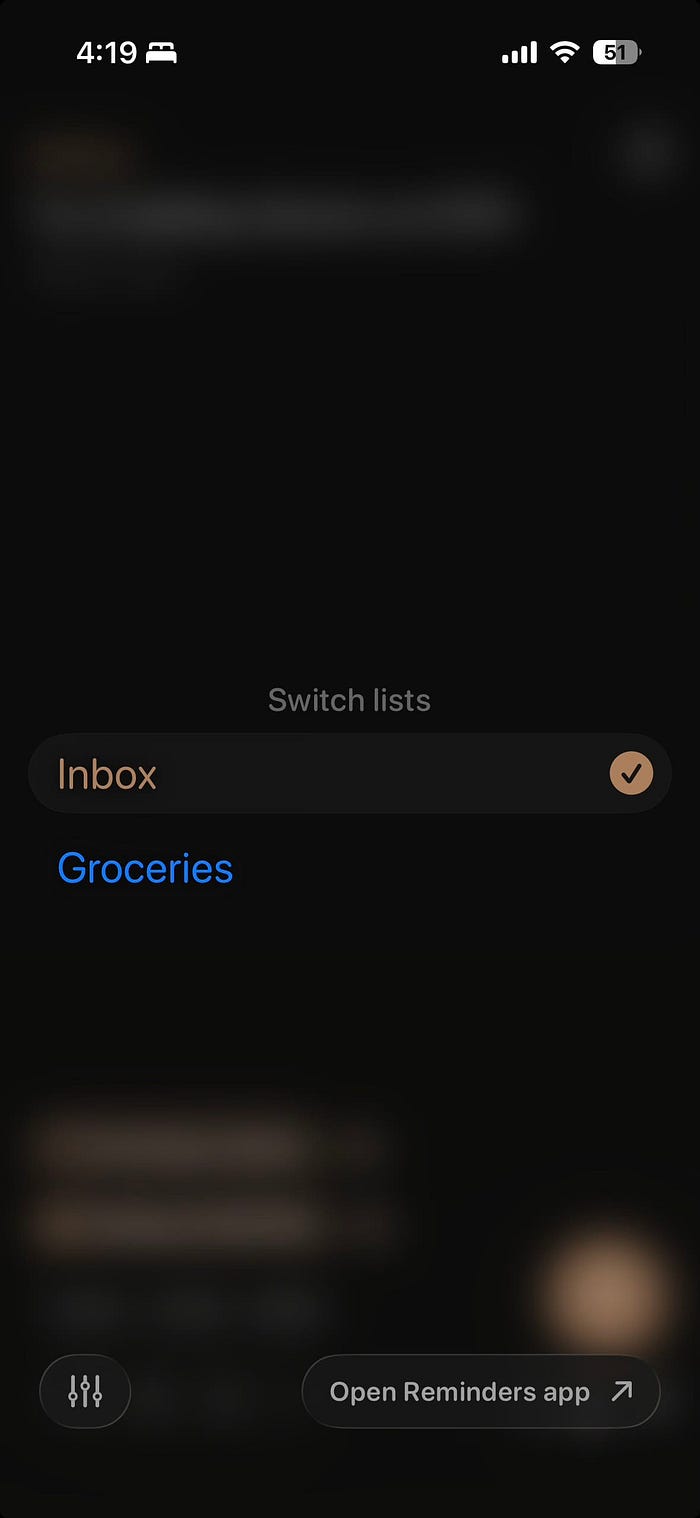
Quick-entry for Reminders
I have yet to find a gem similar to Remind Me Faster among the App Store apps.
You can add a reminder to your lists quickly, so fast that even Apple Reminders can't compete with it.
Remind Me Faster comes with a unique, beautiful interface with minimalistic aesthetics — an element missing from many modern products.
It's incredibly responsive. Somehow, I feel as if Apple designed it in a parallel universe.
Remind Me Faster allows adding location, date, notes, and more.
You can adjust a reminder to your desire. And yes, it's customizable and offers plenty of helpful options in Settings.
If I were to use a Reminder app for quickly capturing tasks on my iPhone, this is definitely the app I'd choose.

7. TouchRetouch
Object Remover & AI Photo Edit
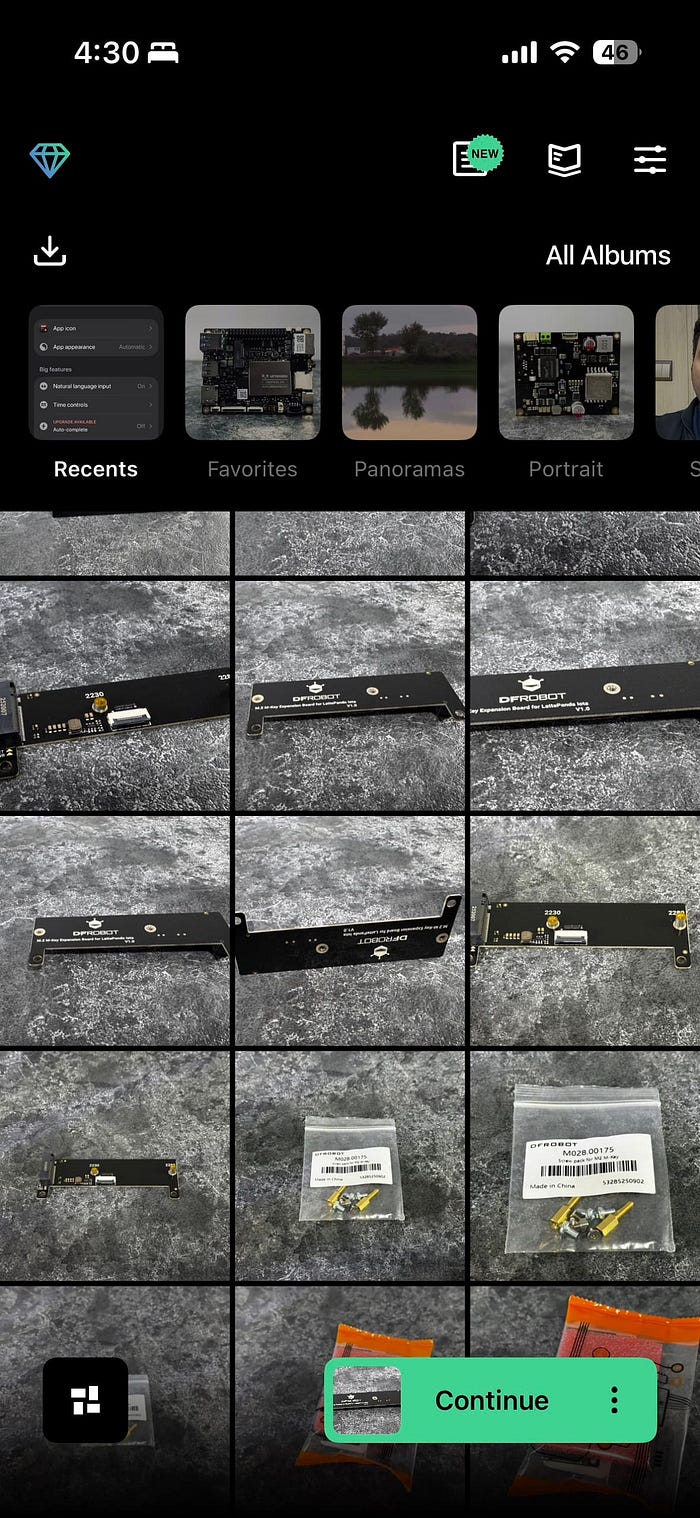
I've seen hundreds of photo editing apps on the App Store claiming to perfectly remove objects from images. I haven't seen one as good as this.
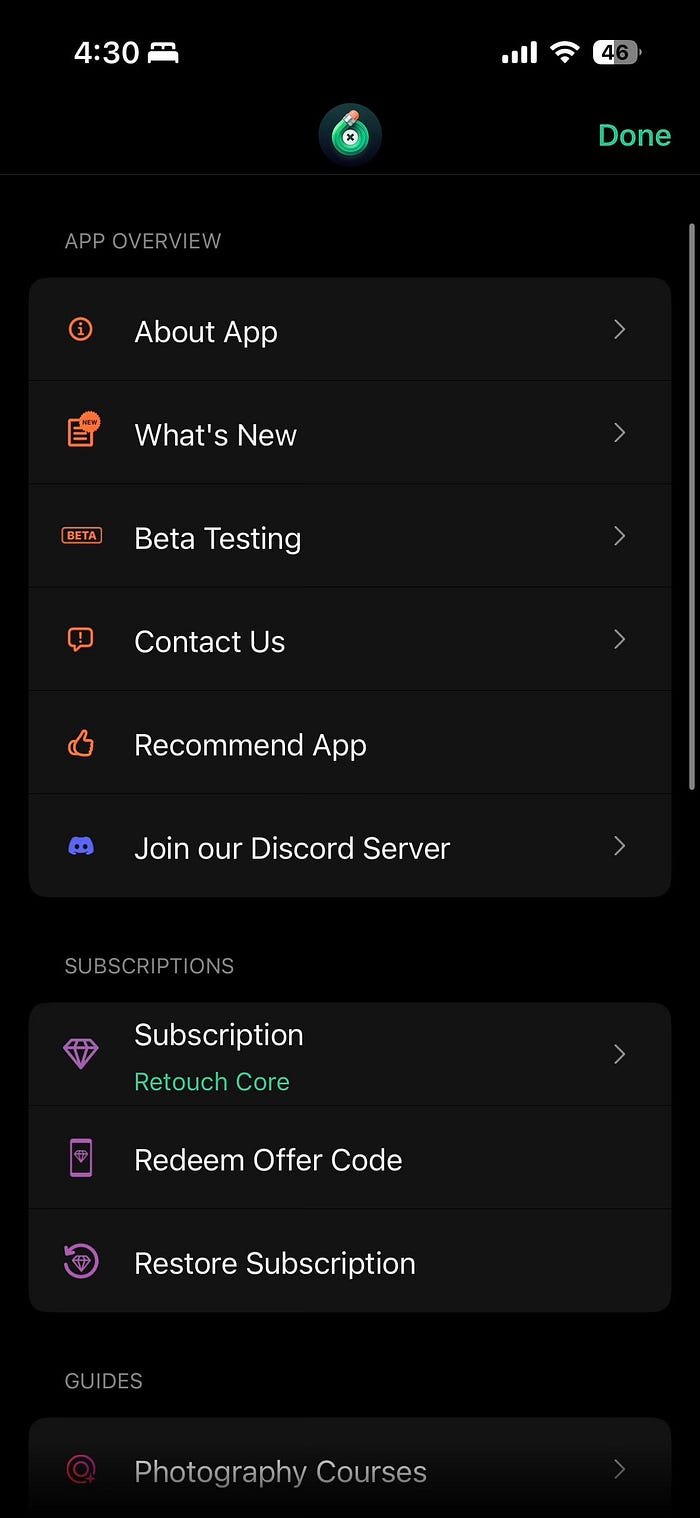
TouchRetouch is not a new app, and it's popular among professional editors. Despite its popularity, I wanted to mention it in my app article because of how good it is.
TouchRetouch is an offline object remover, and it does the best job of removing objects without messing up the photo.
I've tried removing objects, people, and patterned shapes, and no app can do object removal as well as TouchRetouch.
In the age of AI messing up software features that used to work well, I am so glad to use an app that performs basic tasks with such precision, all within a straightforward user experience.
8. Userscripts
User Script and Style Manager
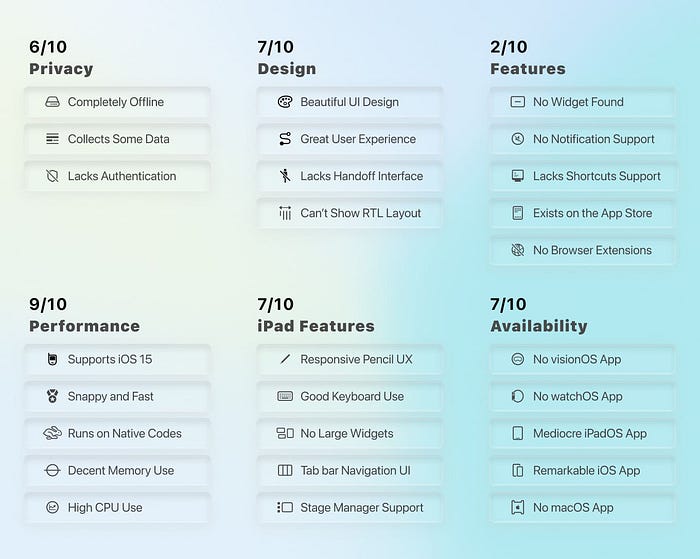
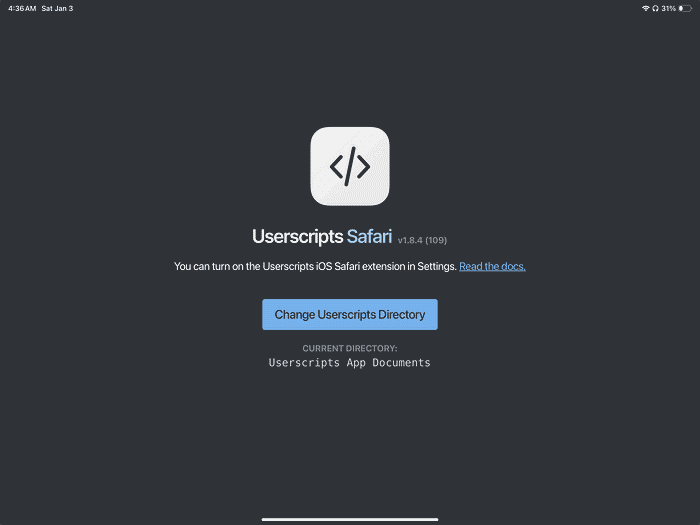
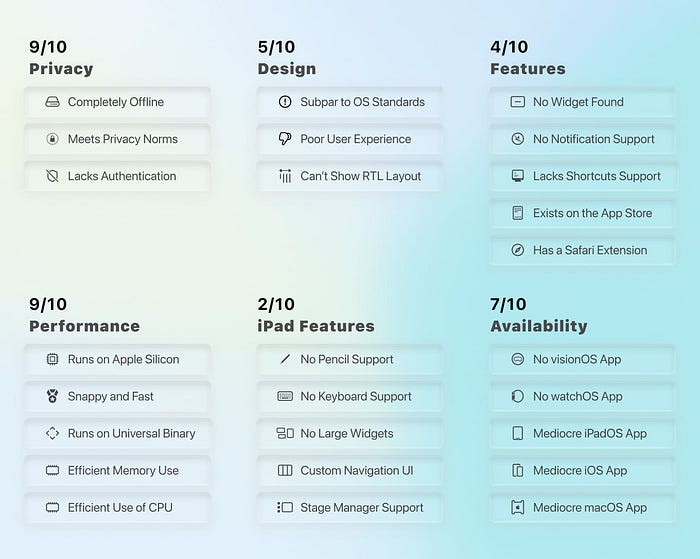
If you're using Safari as your primary browser, you probably miss running custom JavaScript code on it, similar to how it is on Chrome and Firefox.
I use custom scripts on popular websites like Instagram, YouTube, and Reddit. They elevate my experience using each service and also fix annoying issues that the developers don't prioritise fixing.
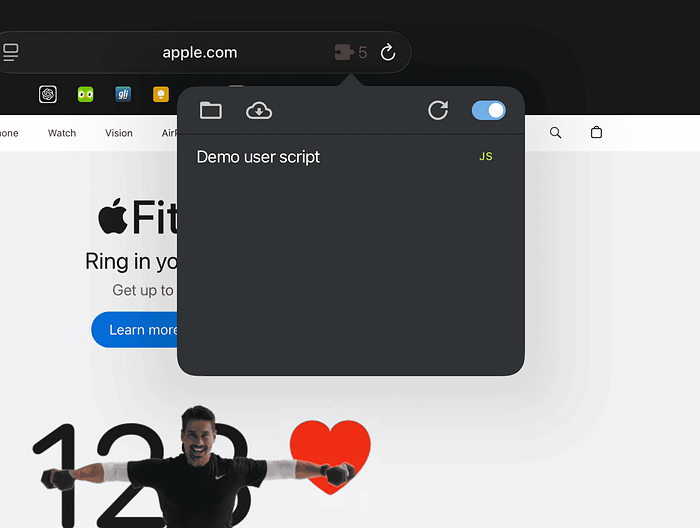
Userscripts allow loading almost any script from a popular script search engine and running it on any website in Safari.
The app is incredibly memory-efficient, and it doesn't make Safari use a ton of RAM. In fact, it's so well-coded that I wish it existed on Google Chrome or Firefox.
One of my favourite scripts is the one that allows downloading files from websites that don't normally allow you to access their media.

9. Termix
SSH Client & Terminal
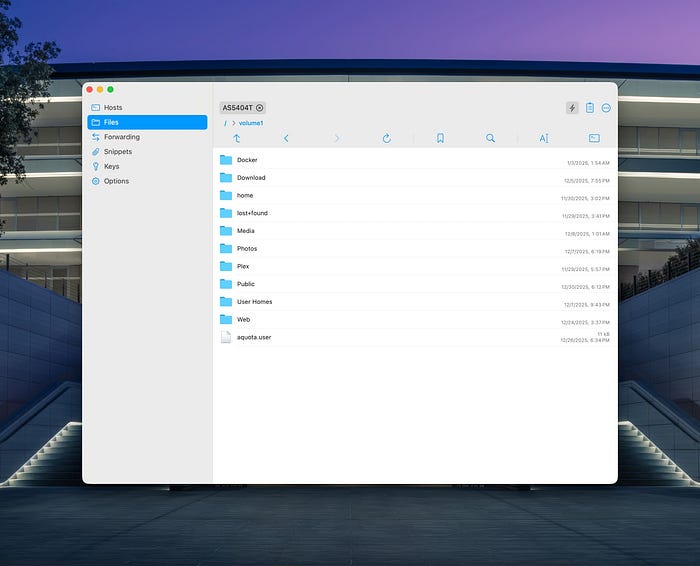
I run a couple of online servers alongside my home lab machine. I control most of them with a protocol called SSH.
So, I need a tool to manage them all in one place.
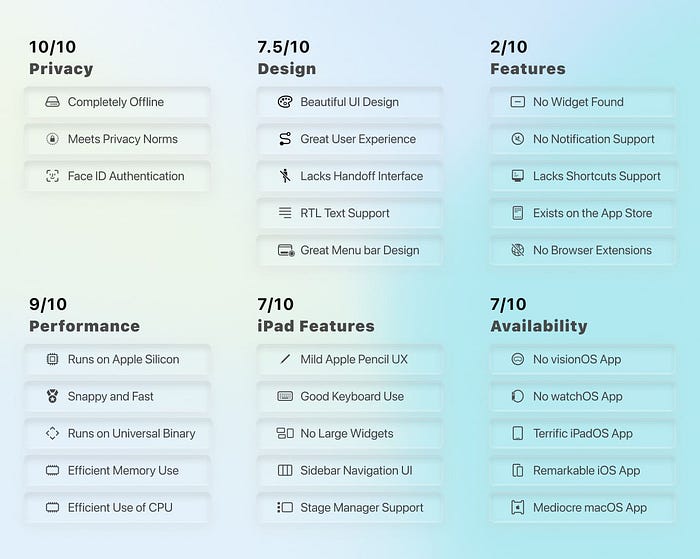
Termix is by far the easiest all-in-one utility to manage computers using SSH and goes the extra mile by offering helpful DevOps features.
The features? Well, you get the usual things like a terminal interface and managing SSH keys, but you also get a lot more.
For example, a section called Snippets allows creating a database of your snippet codes and easily using them in and outside your terminal interface.
Termix comes with a powerful port manager to expose a locally run service to your network, which is useful for many network admins and network engineers.
I haven't seen this functionality in many terminal apps.
Overall, Termix is a phenomenal app for managing your SSH clients, and the iPhone (and iPad) app has a great design with smooth performance.
I ran it on an older iPad Pro (4th gen), and it ran great on iPadOS 16.

10. ForkLift 4
Dual-pane file manager
One of the best things about macOS is its simplicity, but I argue that the worst thing about it is also its simplicity.
For example, the Finder is ridiculously straightforward, but this simple design — this minimal and spacious design — feels a bit too empty. To resolve that, I have found a Finder replacement that works 100 times better.
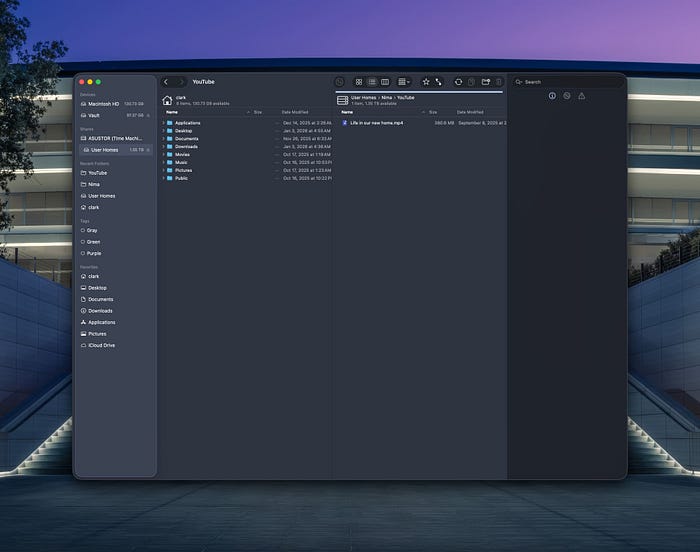
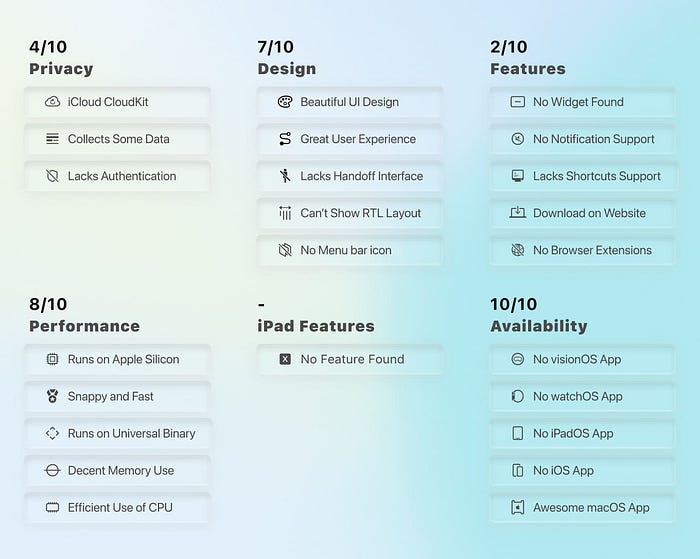
Forklift 4 is a file manager to help you browse your files and access different storage directories on your Mac. What makes it unique are the extra features it offers.
Forklift 4 is divided into four sections. The first and fourth sections provide a navigation hierarchy, while the two middle sections allow navigation to two simultaneous directories.
The genius of Forklift 4 is its intuitive design, allowing you to move beyond the Finder.
For instance, you can connect to your Amazon S3 server or show your Google Drive files.
It's useful to use VNC to control my Linux servers.
All in all, if you want to experience a file manager on steroids with a beautiful Liquid Glass design, I recommend trying Forklift 4.
The app receives regular updates that don't break the experience.
Bonus: An Apple Shortcut
Log Your Expenses
The article is almost over, but I wanted to share something extremely useful that I've been using daily on my iPhone.
It's an Apple Shortcut from Stephen Robles' YouTube channel that allows me to log my expenses in Apple Notes.
I've been experimenting with it to replace the Gem app, and so far, due to the performance gain and simplicity of design, I think I'm ready to switch to Apple Notes for my expense management.
I'm grateful to Stephen for building it. Here's the link to download it:
I recommend putting the shortcut on your home screen, then it will ask you what it was for, how much you paid for it, and specify which account you used for the expense.
Simple and fast — just like technology should act in our lives.
If you have any comments, suggestions, or criticisms, I will be happy to read them in the response section.
🖤 Thank you for reading my stories on Medium.
🙏🏻 Your donations encourage me to publish more content.