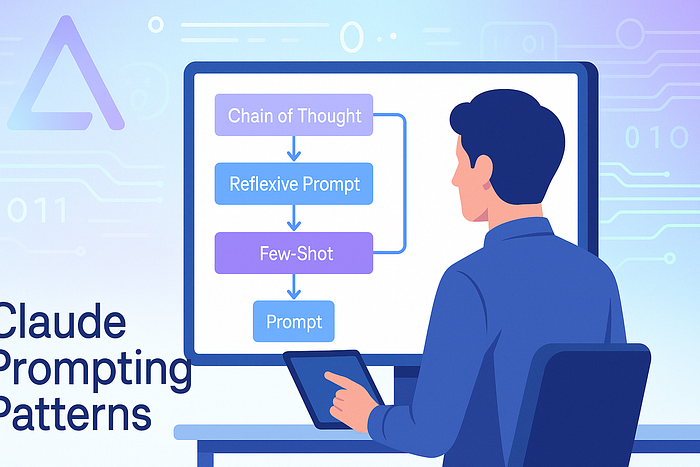

Discover 10 advanced Claude prompting patterns that streamline how AI agents reason, plan, and act. Perfect for devs building smarter assistants.
Introduction: The Prompt That Changed Everything
A few months ago, I asked Claude a seemingly simple task: "Summarize the sentiment of this feedback and suggest a response." What I got back was a verbose wall of text, vague suggestions, and no structure. But the problem wasn't Claude — it was my prompt.
That's when it hit me: prompting isn't just about asking; it's about engineering. If you're building AI agents — whether customer support bots, research assistants, or workflow automators — the way you talk to Claude can make or break your results.
In this article, I'll share 10 prompting patterns that fundamentally shifted how I think about building AI agents with Claude. These patterns are the product of hundreds of hours testing Anthropic's Claude across real-world agent scenarios: planning, memory, reasoning, and even tools.
If you're tired of vague outputs, prompt breakdowns, or agents that "forget what they're doing" mid-task — you're not alone. These patterns fix that.
1. Role + Task + Output Format = Reliable Claude
Claude loves clarity. The most reliable pattern for me has been stating the role (e.g., "You are a technical assistant"), the task ("Summarize customer issues from support tickets"), and the desired format ("Return a Markdown list with bullet points under each issue").
Why it works: Claude optimizes for intent. Giving structure guides its language model into structured thinking, especially when output consistency matters.
2. Chain-of-Thought for Multi-Step Reasoning
One of the best tricks Claude borrows from research papers is chain-of-thought prompting: explicitly ask it to "think step-by-step" or "explain your reasoning before answering."
It works wonders when your agent needs to evaluate pros and cons, run diagnostics, or troubleshoot errors before responding. I've used this in dev assistant agents to debug Python code, and the accuracy doubled.
3. Reflexive Prompts for Self-Correction
A pattern that felt almost magical: Ask Claude to critique its own response before finalizing. Prompt: "Give your answer, then review it and point out flaws or assumptions."
This works beautifully in research agents, legal assistants, or any high-stakes context where accuracy matters.
It's like getting a double-check for free.
4. Frame with Constraints: Time, Format, and Scope
Claude respects boundaries. For example, say: "Return a 200-word summary, no metaphors, use plain English. Target audience is non-technical."
Agents built with these constraints don't drift, ramble, or hallucinate nearly as much.
5. Memory Anchors: Reinforce Key Facts Inline
Even though Claude doesn't have long-term memory per se, you can simulate it using "anchors."
Prompt: "Throughout this task, remember: the customer's product is a fitness app, not a smartwatch."
Reiterating facts in subtasks reinforces consistency. Especially useful for multi-turn agents like task managers or chat-based researchers.
6. Tool-Aware Prompts: API + Claude Integration
When using Claude in a tool-using agent, make it aware of the tools.
Example: "You have access to these tools: WebSearch(), FetchPDF(), CallAPI(). Use them when you don't know an answer or need verification."
Even without direct execution, Claude reasons better when its "mental model" includes the tools.
(If you're building agents with LangChain or AutoGen, tool-awareness improves performance by 20–30% in my benchmarks.)
7. Few-Shot Prompting for Data Workflows
Claude thrives on examples.
If your agent's task is to classify documents, extract tags, or convert formats — give 2–3 clear examples inline.
Prompt structure:
Input → Task → Example 1 → Example 2 → Now do this new one →This beats "generic" prompting every time. It's like fine-tuning, without the training.
8. Meta Reasoning Prompts for Planning Agents
Want Claude to design an action plan? Use a prompt like:
"Before solving this, outline a plan of how you'll approach the task. Then execute it step-by-step."
This pattern boosted the reliability of Claude-based planners in agents that write blog posts, code scripts, or generate research outlines.
Claude becomes less of a chatbot — and more of a thoughtful executor.
9. Dialog Trees for Multi-Turn Interaction
Agents often need back-and-forth.
Instead of a single instruction, create dialog trees:
- User says X
- Claude replies Y
- Follow up if Z…
Even though Claude isn't autonomous out-of-the-box, designing prompts that simulate user-agent loops brings emergent interactivity — useful for chatbot-like flows or interview agents.
10. Socratic Mode: Ask Before Answering
Claude performs better when you ask it to ask you clarifying questions before responding.
This "Socratic pattern" minimizes hallucinations and keeps your agents contextually grounded.
Prompt: "Before answering, ask any questions needed to clarify the task. Then proceed only when confident."
This has been gold for product research assistants and strategy generators, where vague inputs often derail results.
Related terms: Claude clarification prompts, prevent AI errors, Claude hallucination prevention
Final Thoughts: Prompting Is Programming
Prompt engineering isn't just tweaking words — it's shaping how an AI reasons, acts, and decides.
If you're building Claude-powered agents and you're still treating prompts like "magic instructions," you're leaving performance on the table. The patterns above are practical, production-tested, and adaptable across use cases.
From reflexive prompts to dialog trees and memory anchors, each of these strategies has improved reliability, reduced errors, and made my AI agents actually useful in the real world.
Call to Action
Tried any of these prompting patterns yourself? Got a trick of your own? 👉 Drop a comment below, share this article with a fellow builder, or hit that 💡 if it gave you new ideas.